
Introduction
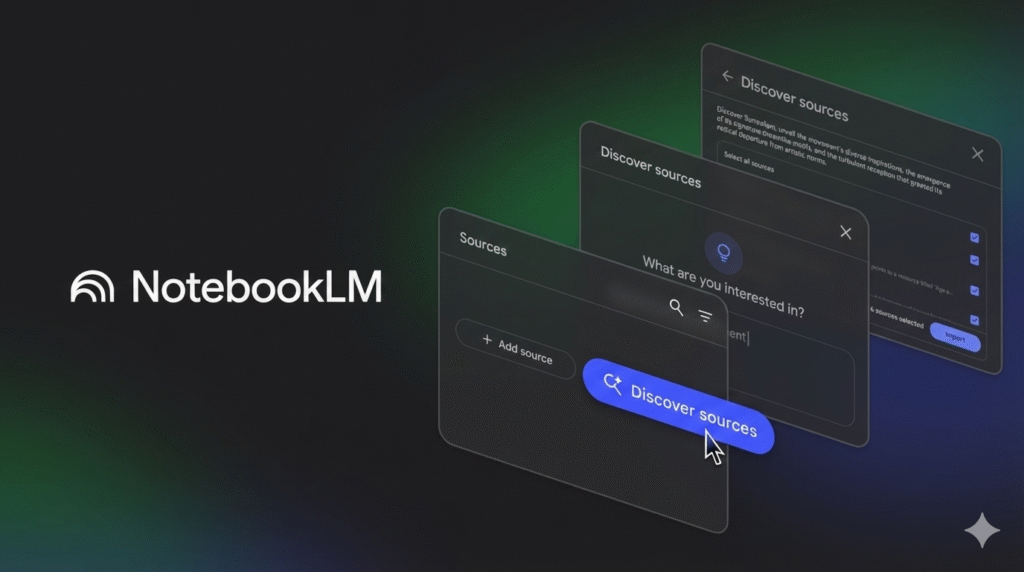
Google’s NotebookLM changed the game by letting you “chat” with your documents. But it isn’t perfect. Whether you need offline privacy, better citation management, or an all-in-one workspace, finding the right NotebookLM alternatives is critical for efficient knowledge management. This guide cuts through the noise to bring you the best AI research tools available right now.
Why You Might Need an Alternative
While NotebookLM is powerful, it has clear limitations. It currently lacks offline support, forcing you to upload sensitive data to the cloud. Its formatting options are rigid, and it doesn’t integrate deeply with existing project management workflows. If you need a tool that respects data sovereignty or connects directly to your daily tasks, you need a different solution.
Quick Comparison: NotebookLM Alternatives
| Tool | Best Use Case | Privacy Level | Offline Mode? | Audio Features |
| Notion AI | Team Collaboration | Standard Cloud | No | Text-to-Speech |
| Obsidian | Secure Research | High (Local) | Yes | Via Plugins |
| Affine | Visual Planning | High (Local/Cloud) | Yes | Basic |
| BeFreed | Audio Learning | Standard Cloud | No | Advanced Podcast |
| Nouswise | Academic Citations | Standard Cloud | No | Visual Podcast |
| Recall | Long-term Memory | Standard Cloud | No | Summary Only |
Notion AI
Notion AI is the strongest contender for teams already using Notion. Unlike NotebookLM, which silos information into separate “notebooks,” Notion AI can query your entire workspace at once.
- Best For: Teams and project managers who need “structure-first” organization.
- Key Feature: Q&A across the Workspace. You can ask, “What did we decide about the Q3 marketing budget?” and it will pull answers from meeting notes, PDF contracts, and strategy docs simultaneously.
- Real-World Use Case: A product manager can upload 45 user interview transcripts. Instead of just summarizing them (like NotebookLM), Notion can instantly convert those summaries into a Kanban board of “Action Items” assigned to specific developers.
- Pros: Deeply integrated; actionable outputs (tables, tasks); no need to switch apps.
- Cons: Can be slower with massive databases; it is a paid add-on feature.
Affine
Affine is an open-source, privacy-focused alternative that positions itself as a “KnowledgeOS.” It is a hybrid that combines the structured data of Notion with the visual whiteboard elements of Miro.
- Best For: Visual thinkers and privacy advocates who want a “self-hosted” Notion.
- Key Feature: Edgeless Canvas. You can switch seamlessly between a standard document view and a visual whiteboard. This is superior to NotebookLM for mapping out complex relationships between sources.
- Privacy: It offers local-first storage options. You can host it on your own server, ensuring Google never sees your proprietary research.
Recall
Recall (getrecall.ai) is a rising star in 2025 that acts as a “personal AI memory.” While NotebookLM focuses on documents you upload now, Recall focuses on everything you’ve ever seen.
- Best For: Building a long-term “Second Brain” without manual tagging.
- Key Feature: Knowledge Graphing. It automatically connects new information to old notes. If you save a YouTube video about “Quantum Computing” today, Recall links it to a podcast you saved six months ago, visually displaying the connection.
- Why it wins: It supports a wider range of inputs—videos, podcasts, articles, and bookmarks—and summarizes them into a single, interconnected web.
Best Privacy-First & Local Alternatives
If you are working with sensitive data (legal, medical, or proprietary code), uploading files to the cloud is a non-starter. These tools keep your data on your device.
Obsidian (with Plugins)
Obsidian is the gold standard for local knowledge management. While not AI-native out of the box, community plugins like “Smart Connections” or “Copilot” turn your offline vault into a chat-able database that rivals NotebookLM.
- Best For: Researchers demanding 100% data ownership.
- Advantage: Your data never leaves your device (depending on the LLM used). You can use local models (like Llama 3 or Mistral) to process your notes without an internet connection.
- Flexibility: You customize exactly how the AI interacts with your notes. You aren’t stuck with Google’s prompt interface; you can build custom AI agents for specific tasks like “Critique this argument” or “Find gaps in my research.”
LM Studio / AnythingLLM
For the technically inclined, running a local LLM via LM Studio or AnythingLLM allows you to “chat with documents” in a zero-trust environment.
- Best For: Developers and data scientists.
- How it works: You download a model (like DeepSeek or Llama 3) to your laptop. You point the software at a folder of PDFs. You chat. No data is sent to the cloud.
- Cost: Free (requires a computer with a decent GPU/RAM).
Best Audio & Podcast-Style Alternatives
One of NotebookLM’s viral features is the “Audio Overview” (two AI hosts bantering about your file). Competitors have caught up and, in some cases, surpassed this feature.
BeFreed
BeFreed is designed specifically for auditory learners. It goes beyond simple summaries by creating personalized, podcast-style episodes from your reading materials.
- Best For: Commuters and auditory learners.
- Key Feature: Proactive Learning Roadmaps. Unlike NotebookLM’s reactive model (where you must ask questions), BeFreed analyzes your goals and suggests content. It creates a “podcast playlist” mixed from your documents and external high-quality sources like books and papers.
- The Upgrade: You can control the length of the audio (10, 20, or 40 minutes), fixing a major complaint about NotebookLM’s unpredictable audio lengths.
ElevenLabs (GenFM)
Known for voice synthesis, ElevenLabs offers “GenFM.” It converts articles and PDFs into stunningly realistic audio content.
- Why it wins: The voice quality is currently superior to Google’s. It can handle emotional nuance, different languages, and multi-speaker setups with greater realism.
Specialized Tools for Academics
Students and academics often require rigorous citation standards that general chatbots miss.
Nouswise
Nouswise is built for “source-grounded” answers. It strictly refuses to answer if the information isn’t in your uploaded documents, virtually eliminating the “hallucinations” common in other models.
- Best For: PhD students and academic researchers.
- Key Feature: Clickable Citations. Every claim in the AI’s answer links directly to the specific passage in the PDF source.
- Visual Recap: It offers a “visual podcast” format, providing slides or visual aids alongside the audio summary, which helps visual learners retain complex academic theories.
SciSpace (formerly Typeset)
SciSpace is a dedicated “Research Operating System.” It connects directly to academic databases (like Semantic Scholar).
- Best For: Literature reviews.
- Workflow: You don’t just chat with your PDF; you chat with a database of 280 million papers. You can ask, “Does this paper contradict the consensus on X?” and it will cross-reference external studies.
Frequently Asked Questions (FAQ)
1. Is there a free alternative to NotebookLM?
Yes! Obsidian is free for personal use (though some AI plugins may require a small API fee). Affine offers a generous free tier for self-hosting. For simple PDF chatting, tools like ChatPDF offer free daily limits that suffice for casual users.
2. Can I use NotebookLM offline?
No, NotebookLM is entirely cloud-based. If you need offline capability, your best choice is Obsidian combined with a local LLM runner like LM Studio or GPT4All. These run entirely on your computer’s hardware without an internet connection.
3. Which tool is best for coding and technical documentation?
Cursor (an AI code editor) or AnythingLLM are better suited for code. NotebookLM often struggles with interpreting complex codebases or maintaining syntax formatting in its answers. AnythingLLM allows you to “embed” a GitHub repository and chat with the codebase directly.
4. How do I export my data from NotebookLM?
Currently, NotebookLM’s export options are limited. You can copy text or export audio files. To avoid “vendor lock-in” in the future, we recommend starting with a tool like Notion or Obsidian, where exporting to Markdown, PDF, or CSV is a native, one-click feature.
5. Final Call-to-Action (CTA)
Ready to upgrade your research workflow?
Don’t settle for a one-size-fits-all tool.
- Download Obsidian today if you value privacy above all else.
- Try Notion AI if you need to turn your research into actionable team tasks.
- Check out BeFreed if you want to turn your reading list into a personalized podcast.